
Recipes and photos for your GR IV
Keep camera recipes and write them to your RICOH GR IV. Import the photos you choose on iPhone and iPad, and back up the whole card on Mac.
Coming to the App Store for iPhone, iPad and Mac
iPhone and iPad
Free.
Recipes and sources
Keep each recipe's author, source and earlier versions. Share a recipe as an image card or QR code, or scan one to add it.
For example, a recipe keeps
- Base
- Saturation
- Hue
- Contrast
- Sharpness
- Grain
- White balance
- Dynamic range
- Author & source
Write to the camera
Write a recipe to a Custom slot on your GR IV. Only verified models, firmware, slots and settings are supported.
Import the photos you choose
Preview the card on your phone, choose photos and save the originals to Photos. JPEG, RAW or both.
View and edit
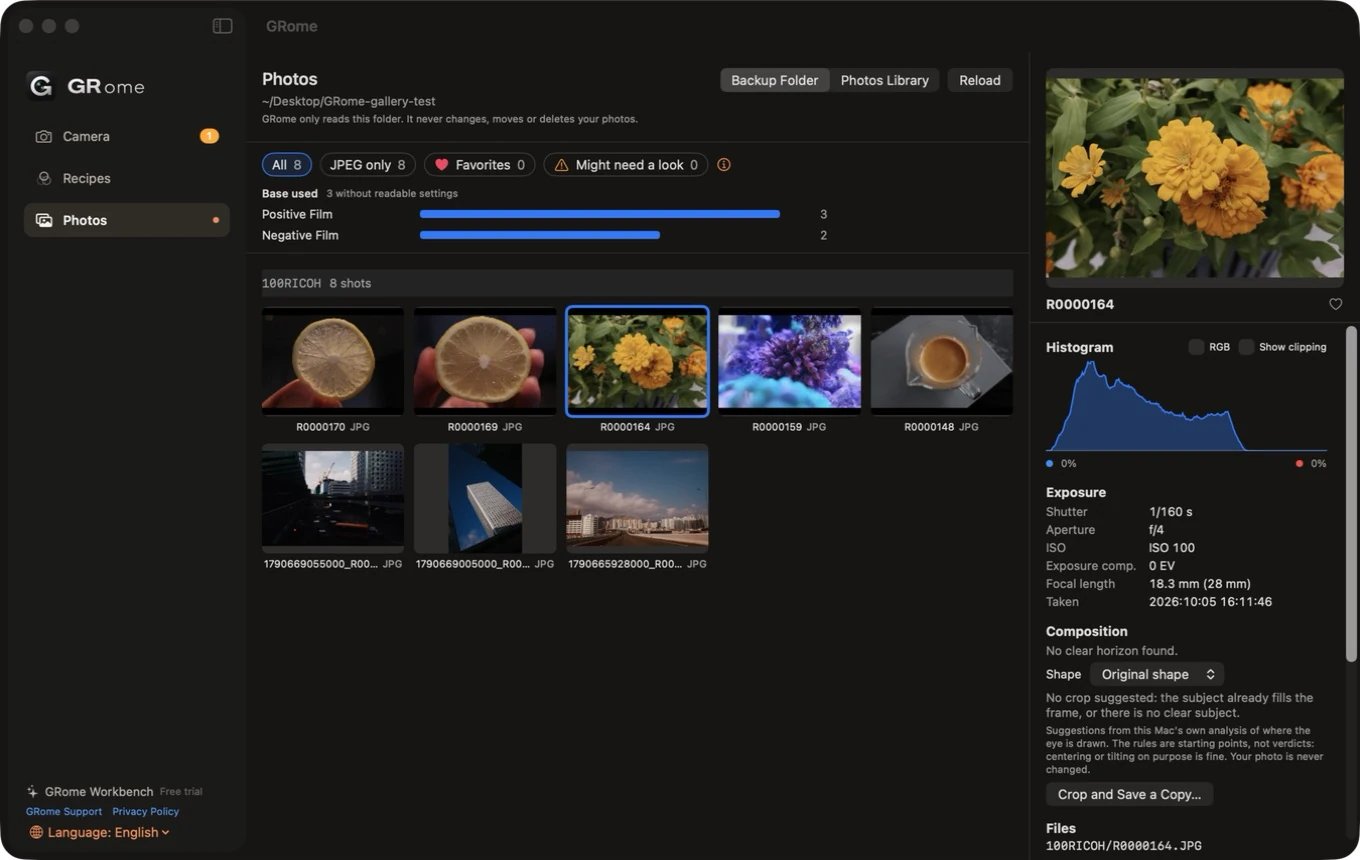
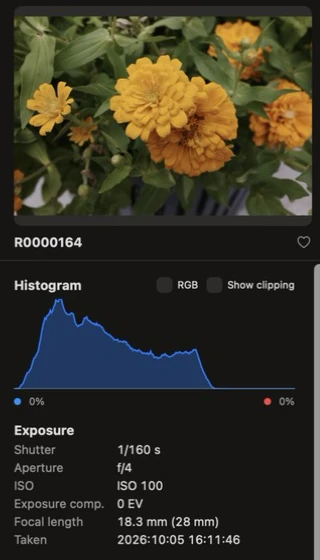
See capture settings and histograms, mark favourites, and see where a photo was taken if the camera recorded it. Save edited copies; originals stay unchanged.
Camera control
Turn the camera's Wi-Fi on or off, switch the camera off, see its firmware with a link to Ricoh's firmware page, and scan your Mac's code to start a backup.
Mac
14-day free trial, then a one-time purchase.
Whole-card backup
After you scan the Mac's code with your iPhone, the Mac copies new photos to a folder, a network drive or Photos and checks each file.
A backup, step by step
- Scan the Mac's code on iPhone
- Copy new photos
- Check every file
Browse and edit
See settings and histograms, get hints about photos that may need a second look, and save cropped or bordered copies. Manage recipes on the Mac too.
Requirements
- iPhone or iPad: iOS or iPadOS 26 or later. Mac: macOS 14 or later.
- Camera features support the RICOH GR IV. Recipes work without a camera.
Features listed here are planned for the first release. The App Store listing describes what each version includes.